Quick Answer
Create an Autoadify workflow with a daily Schedule trigger and switch on "Feature a random product". Each run picks one product from your Shopify, WooCommerce or Wix store, re-checks that it is in stock, writes a fresh caption and posts it. No product repeats until the whole catalog has been featured. Runs on Solo ($19/mo).
Daily Product Posting at a Glance
| Feature | AI Workflows: Schedule trigger with "Feature a random product" |
|---|---|
| Stores | Shopify, WooCommerce, Wix, or any connected store |
| Repeats | None until every product has been featured once |
| Stock check | Live re-check at run time; sold-out, deleted or unpublished products are skipped |
| Schedule | Daily, or weekly on chosen days, at a set time and timezone |
| Plan | Solo ($19/mo) and above. See pricing |
The Problem: Your Back Catalog Is Invisible
New products get a launch post. The other 95% of the catalog, often including the products that actually sell, doesn't get posted again. Doing it by hand means keeping a spreadsheet of what was posted when, checking stock before each post, and writing a new caption for a product you've described twenty times.
A random-product workflow handles all of that, including the parts people forget: not repeating a product next week, and not posting something that sold out an hour ago.
Build It
1. Trigger: Schedule, with "Feature a random product"
Choose Daily (or weekly on chosen days), a time and your timezone. Turn on Feature a random product and pick the store. Leave skip out-of-stock products on, which is the default.
What happens on each run:
- A product is picked from the ones not yet featured in the current round.
- Autoadify re-reads it live from your store, because synced data can be hours old. A deleted, unpublished or sold-out product is skipped and the next one tried.
- The product is handed to the steps exactly like a new-product trigger would hand it over.
- When every product has been featured, a new round starts.
2. Write caption, with a reason to post today
The hard part of a daily product post is that "here's a product" gets old by day four. Give the caption step an angle that rotates:
Write an Instagram caption for this product. Pick ONE angle: a problem it solves, a way to style or use it, who it's a good gift for, or a detail people miss. Don't open with the product name. Under 120 words, end with the price and "link in bio".
The workflow also gives the caption step the date and your recent posts, so it can avoid opening the same way twice in a row.
3. Include image
Use the product photo, or an AI edit for a styled scene (GPT Image 2 Edit). For a mixed feed, alternate: run one workflow with plain photos on weekdays and a second with styled scenes on weekends. Solo includes 2 workflows.
4. Publish
Instagram, Facebook, Threads, Bluesky, X, LinkedIn: whatever suits the product. Set timing to Immediately, since the schedule trigger already sets the time.
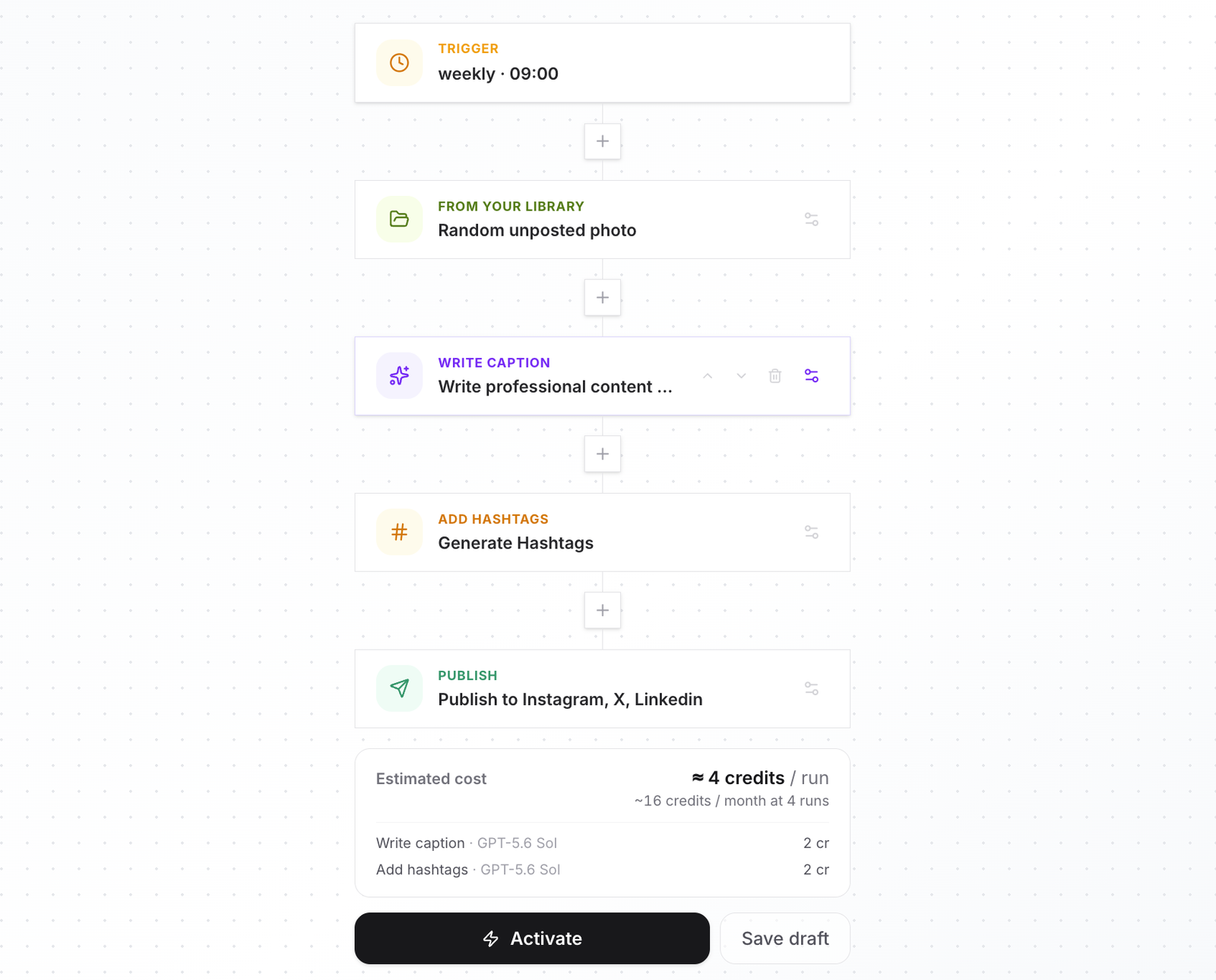
Which plan fits: a daily photo post, with or without AI-styled scenes, fits Solo. A daily video post is a Team-sized habit, or Pro with a credit pack.
Put your catalog on rotation: connect your store, build the workflow, and test-run it to see which product it picks first. Start with Autoadify.
Honest Limits
- Random means random. It doesn't prioritise bestsellers or margin. If you want ten hero products on heavier rotation, put them in their own store collection and a second workflow.
- The stock check is at run time. A product that sells out after the post goes up stays posted.
- One product per run. For a weekly "five picks" carousel, use the AI Manager instead.
- Daily posting isn't a strategy on its own. Mix in posts that aren't products; see episodic content series.
Frequently Asked Questions
Will the same product be posted twice in a week?
No. Every product is featured once before any repeats, and a new round starts only when the catalog is exhausted.
What if a product sells out?
With "skip out-of-stock" on, it's skipped at run time and the next product is used.
Does it work with several stores?
Choose one store per workflow, or "any" to draw from every connected store.
Can it post a video instead of a photo?
Yes. Add an Include video step that animates the product photo; see product photos to TikTok videos.
Can I stop it posting on weekends?
Use the weekly frequency and pick the days.
Which plan?
Solo at $19/mo runs a daily photo post comfortably. See pricing.
The Bottom Line
Your catalog is content you already paid for. A scheduled random-product workflow gets every in-stock product in front of your followers in turn, with a new caption each time. For a library of your own photos instead of products, see posting a random photo from your library. Set it up.
Ready to automate your social media?
Autoadify gives you access to 90+ AI models, auto-scheduling across 10+ platforms, Shopify sync, and AI agents — all in one platform.
Start free