Quick Answer
Connect your Shopify, WooCommerce or Wix store to Autoadify and it drafts a week of posts from your catalog: seven in-stock products, each with an angle, a caption, your product photo, a suggested time and networks. You review and schedule. Two days before the week ends, the next week is drafted.
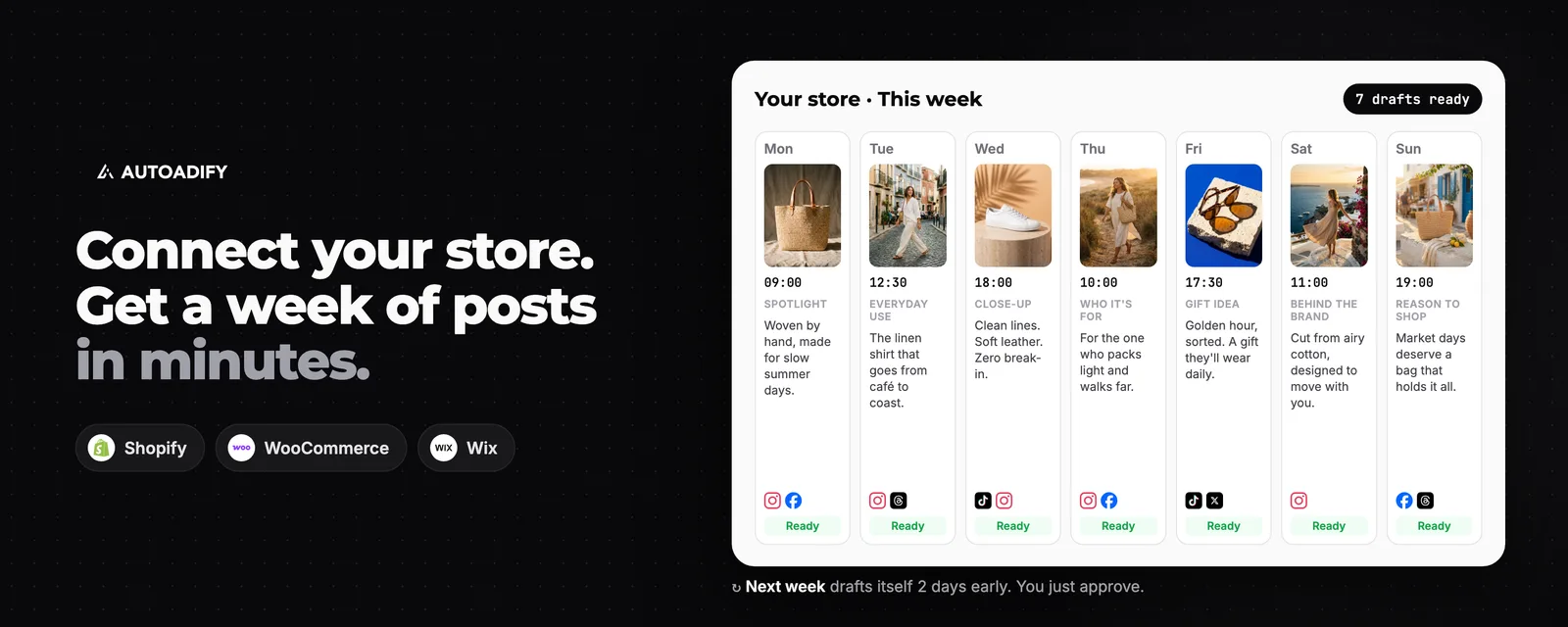
Weekly Store Posts at a Glance
| Feature | Your store: weekly post plans drafted from your catalog |
|---|---|
| Stores | Shopify, WooCommerce, Wix |
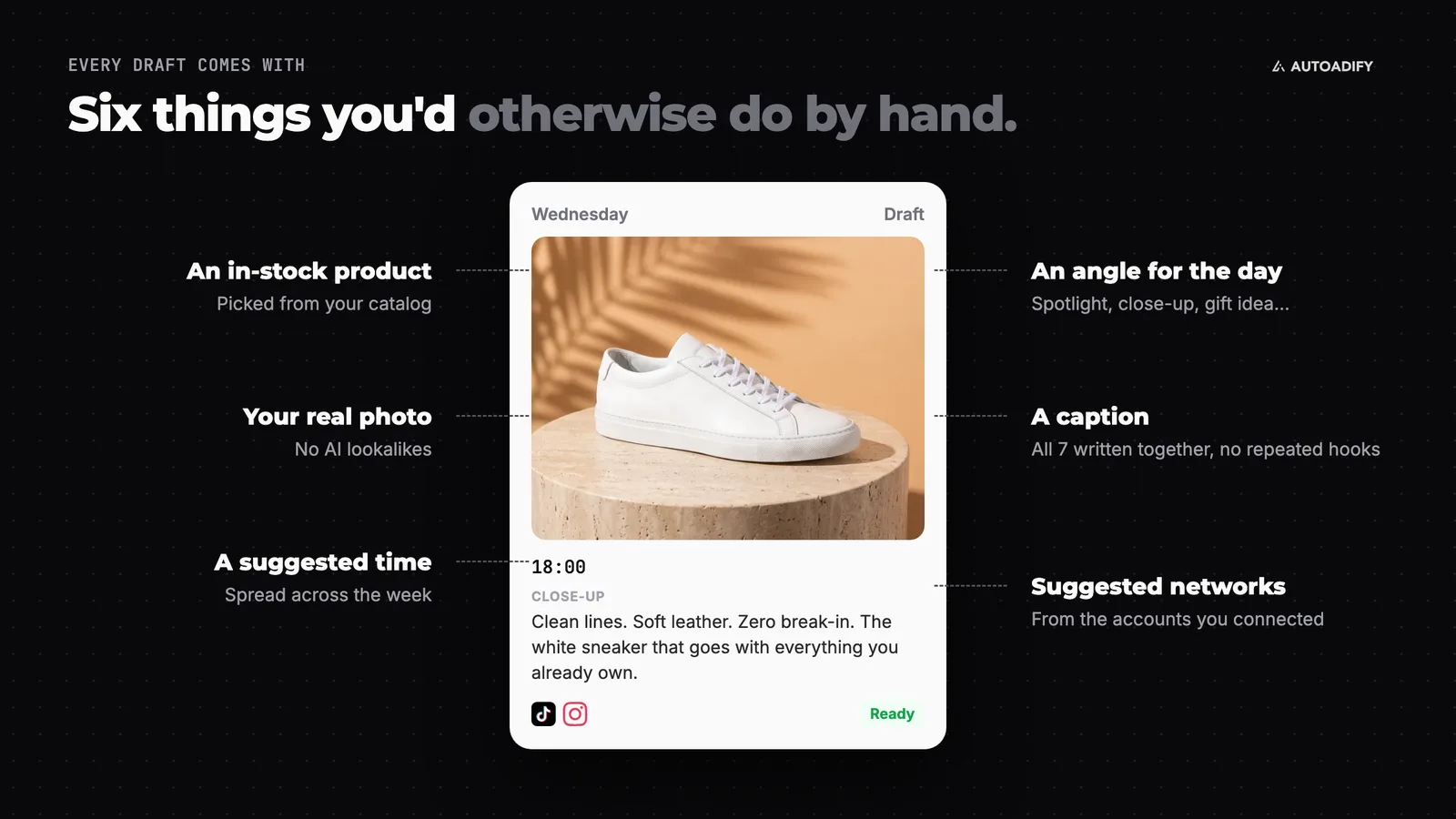
| What you get | 7 drafts per week, one per day: product, angle, caption, product photo, suggested time, suggested networks |
| First week | Drafted right after your catalog syncs |
| Every week after | Drafted two days before the current week ends, once you've scheduled the last one |
| Publishing | Nothing publishes until you schedule it |
| Networks | Instagram, Facebook, TikTok, X, LinkedIn, Threads, Bluesky (YouTube for animated clips) |
| Plan | Weekly drafts on every plan. AI photo edits and video use credits: Solo ($19/mo) and above. See pricing |
The Monday Morning Problem
Most store owners don't have a content problem. They have a Monday morning problem: open Instagram, look at the catalog, wonder which product to post and what to say about it, then close the app and post nothing. The catalog already holds a month of content. Nobody has had time to turn it into posts.
So the posts are drafted at the moment you connect the store, before you've had a chance to stare at a blank caption box.
How It Works: Four Steps
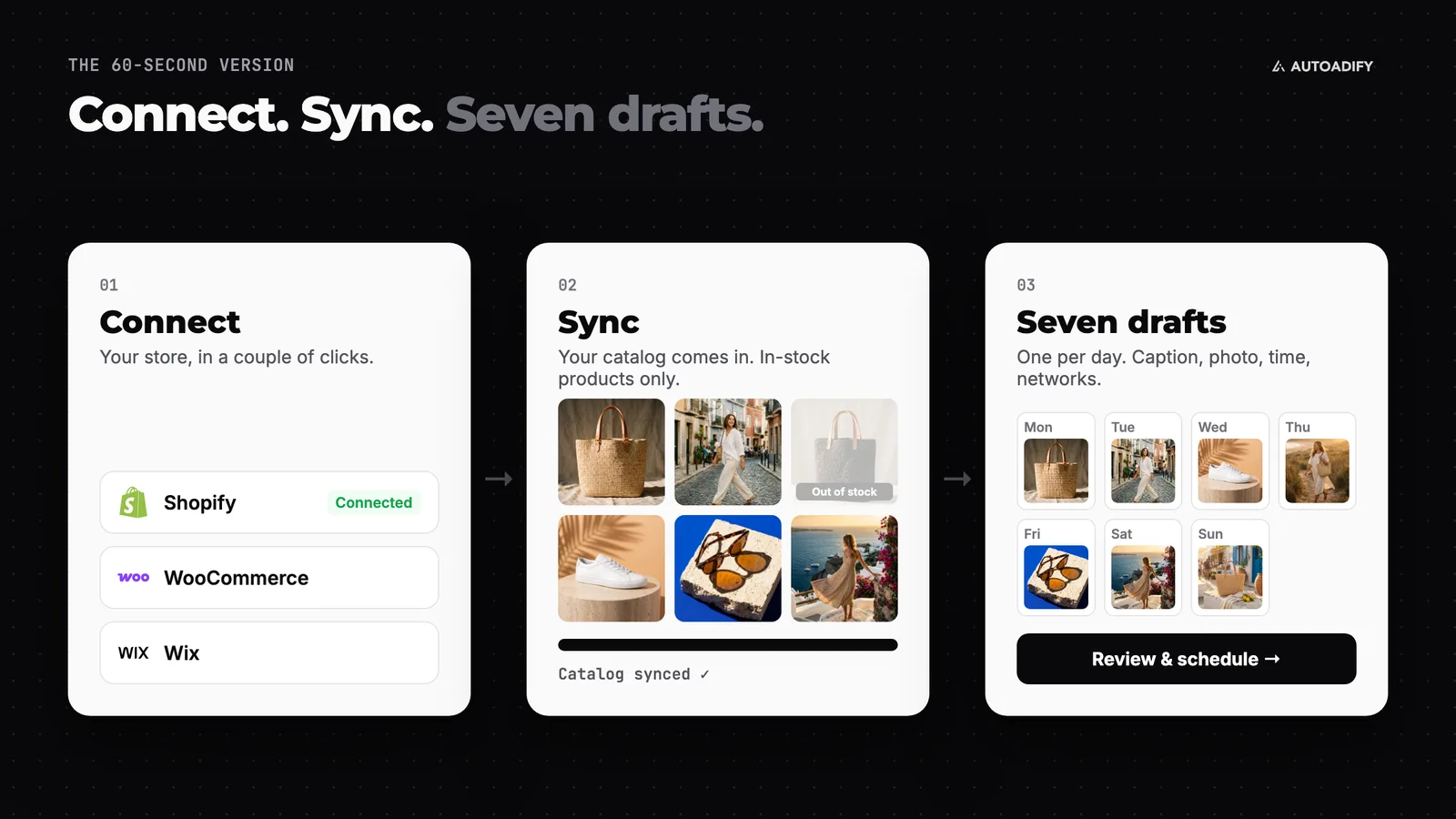
1. Connect your store
In Autoadify, go to Accounts → Integrations and connect Shopify, WooCommerce or Wix. Connect the social accounts you post to as well; the week's network suggestions come from them.
2. Let the catalog sync
Your products, photos and stock status come in. An AI planner then picks seven in-stock products and gives each day a different angle: a spotlight, everyday use, a close-up detail, who it's for, a gift idea, behind the brand, a gentle reason to shop. All seven captions are written in one pass, so no two posts open with the same hook. You get a notification when the week is ready.
3. Review the week
Open Your store. The Schedule tab shows the week day by day. Edit any caption, add or remove networks on each draft, and animate a product photo straight from its day.
4. Schedule it
Schedule the drafts you're happy with. That's the only step that publishes anything, and it's yours.
See your own catalog as a week of posts: connect your store and the first week is drafted while your catalog syncs. Connect your store.
Then It Keeps Going
A week of posts is useful. A week of posts every week is a content calendar you didn't have to plan.
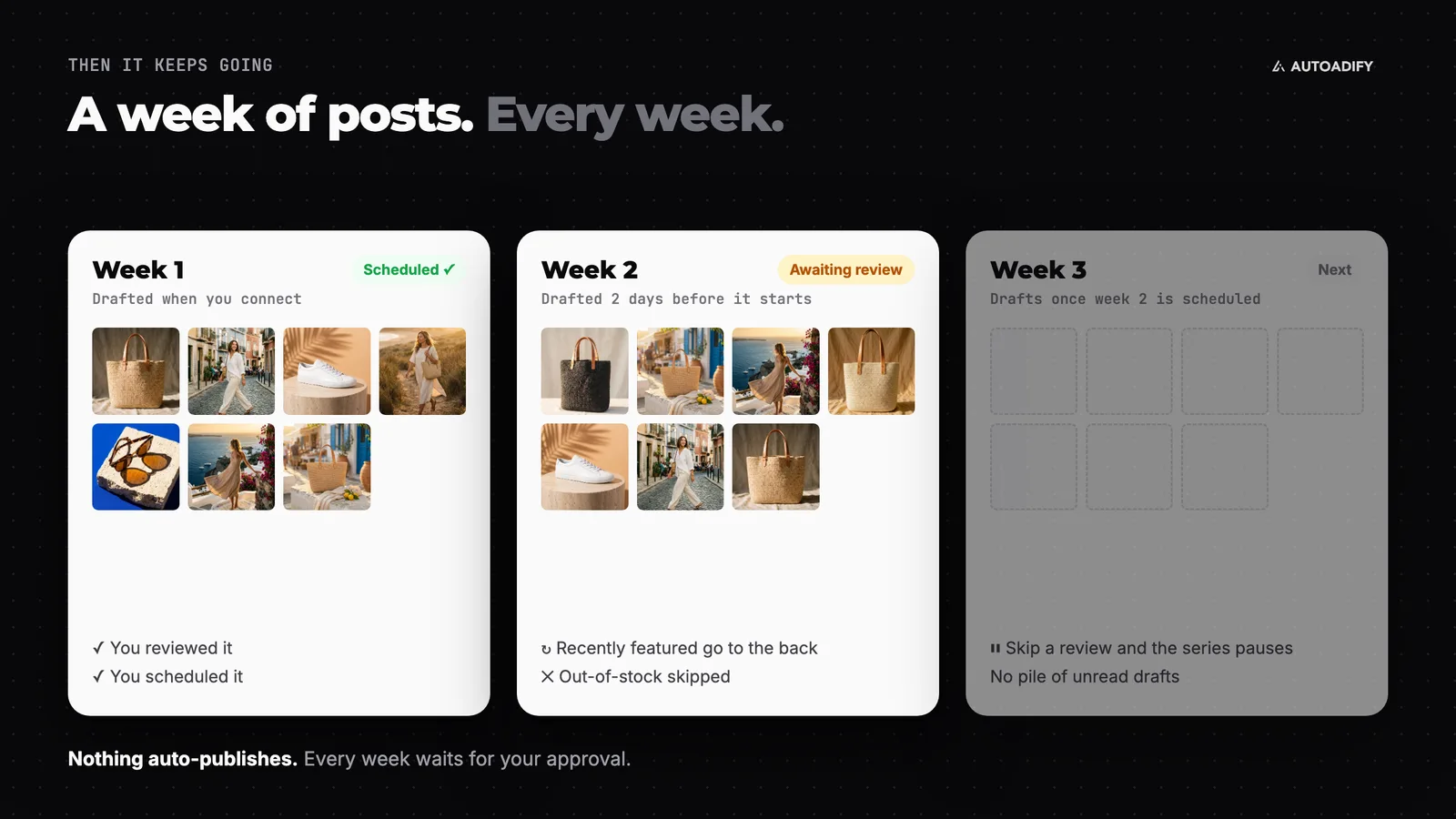
- Drafted two days early. The next week appears before the current one runs out, so there's time to review it.
- The whole catalog gets a turn. Products you featured recently go to the back of the line.
- Stock is checked every week. Products that have sold out are skipped.
- It pauses when you do. If you don't schedule anything from a week, no new week is drafted, so drafts never pile up unread.
Make the Photos Work Harder
The drafts use your real product photos, never an AI lookalike. When a photo needs more, each product on the Products tab has one-click tools:
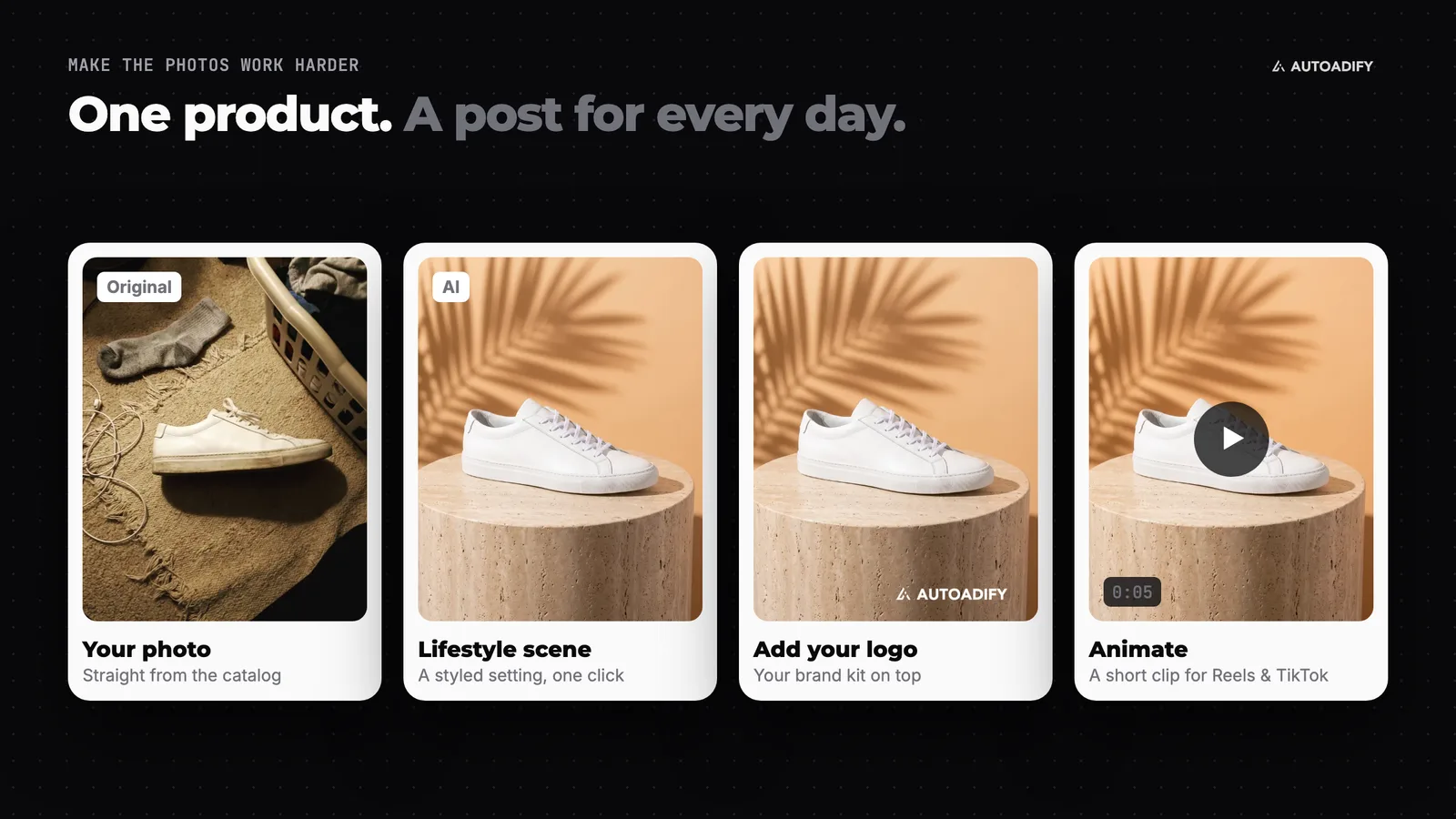
- Lifestyle scene: places the product in a styled setting while keeping the product itself recognisable
- Remove background: a clean cut-out for a minimal look
- Add your logo: overlays your brand kit on the photo
- Animate: turns the photo into a short video clip (next section)
Turn Product Photos Into Video
Video gets the reach, and most stores only have photos. Press Animate on a product and an AI video model turns the still photo into a short clip sized for Reels and TikTok.
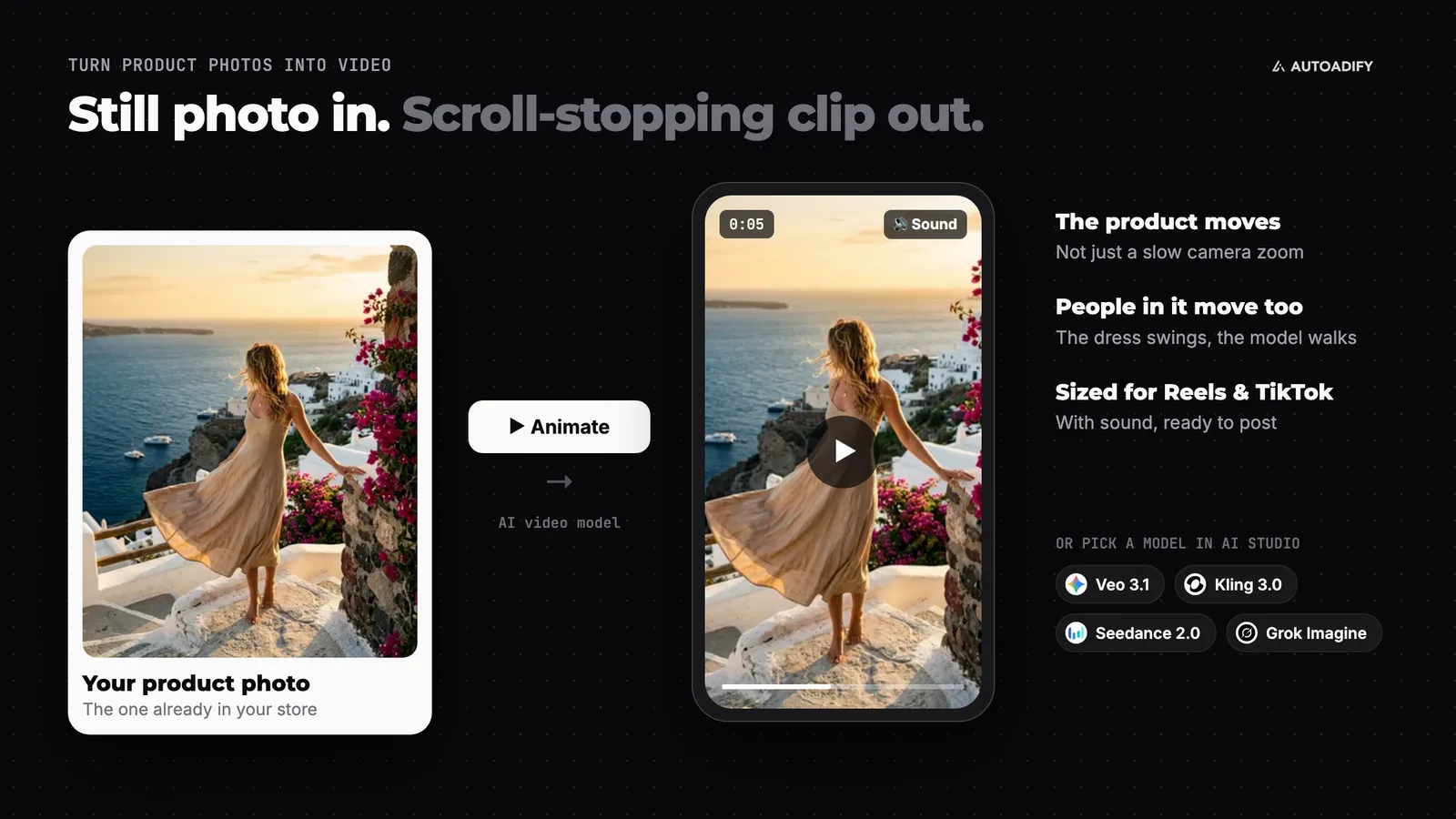
- The product moves, not just the camera. No slow, dull zoom across a still.
- People in the photo move too. If someone is wearing the product, the clip animates them, so the dress swings rather than floats.
- It comes with sound, ready to post.
For more control, open the same photo in AI Studio and compare image-to-video models such as Veo 3.1, Kling 3.0, Seedance 2.0 and Grok Imagine. For a full photos-to-Reels walkthrough, see turning product photos into Reels.
Who This Is For
- Shopify sellers with twenty or more products and no time to post them
- WooCommerce shops whose Instagram went quiet months ago
- Wix store owners who post when they remember
- Anyone who has tried batching content on a Sunday and stopped by Wednesday
Honest Limits
- It works from your store. It won't invent discounts, reviews, awards or stock levels. A one-line product description gives the caption little to work with.
- You approve every week. That's by design; nothing posts on its own. If you want new products posted automatically the moment they're added, use a new-product workflow instead.
- Photo posts first. YouTube only takes video, so it's only suggested once you've animated a product.
- Weak photos make weaker posts. That's what the lifestyle scene and background tools are for.
Frequently Asked Questions
Which stores does this work with?
Shopify, WooCommerce and Wix. Connect the store under Accounts → Integrations and the first week is drafted after the catalog syncs.
I connected my store before this launched. Do I get a week?
Yes. Open the Your store page and Autoadify drafts your first week from the current catalog.
Does anything post without my approval?
No. Every week arrives as drafts. Posts only go out once you schedule them.
How does it choose which products to post?
It picks from in-stock products, gives each day a different angle, and moves products you featured recently to the back so the whole catalog gets airtime.
Can I turn product photos into videos?
Yes. Animate turns a product photo into a short clip with sound for Reels and TikTok, and AI Studio lets you try other video models on the same photo.
Which plan do I need?
Weekly drafts work on every plan, including Free. Animating photos and AI photo edits use credits, so a store posting video every week fits Solo ($19/mo) or Pro ($29/mo). See pricing.
The Bottom Line
If you have a catalog, you already have a content calendar; it just hasn't been written. Connect your store and Autoadify writes the first week from your own products, then the next one before you need it, and turns any photo into a clip when a post needs video. You stay the one who presses schedule. Connect your store and get your first week.
Ready to automate your social media?
Autoadify gives you access to 90+ AI models, auto-scheduling across 10+ platforms, Shopify sync, and AI agents — all in one platform.
Start free