Quick Answer
Pick three product photos and give each a shot: hands unboxing, a POV demo, and a close-up with one spoken line. In Autoadify's AI Studio, add them as a storyboard and generate with Veo 3.1 Fast with sound on. Each shot is animated and stitched into one 9:16 ad, ready to schedule to TikTok, Reels and Shorts.
Faceless AI UGC Ads at a Glance
| Feature | AI Studio storyboard video: 1–5 photos, each animated, joined into one clip |
|---|---|
| Formats that work | Hands unboxing, POV use, product close-ups with one spoken line |
| Video models | Veo 3.1 (Lite, Fast, full), Seedance 2.0, Kling 3.0, Runway Gen-4.5 and more |
| Sound | Generated in the same pass on Veo 3.1, Seedance 2.0 and Kling 3.0 |
| Posts to | TikTok, Instagram Reels, YouTube Shorts, scheduled from the composer or AI Manager |
| Plan | Solo and above; Pro or Team for regular ad testing. See pricing |
Why Faceless Beats an AI Avatar
The UGC formats that sell, such as unboxing, "things I use every day" and POV routines, mostly show hands and products, not faces. That's lucky, because faces are where AI video still gives itself away: the eyes, the mouth on hard consonants, the hands near the face. A faceless ad plays to what current models do well (product motion, hands, light, environment) and avoids what they do badly.
It's also more honest. A clip of hands opening your product isn't pretending a real customer reviewed it. If you're running these as paid ads, disclose AI generation the way each platform asks; see AI disclosure rules.
The Three-Shot Structure
| Shot | Length | What it shows | Source photo |
|---|---|---|---|
| 1. Hook | 4–6 s | Hands opening the box or pulling the product out; something moves in the first second | Product in or next to its packaging |
| 2. Demo | 6 s | POV: the product being used where your buyer would use it | A lifestyle shot, or an AI scene edit of your product photo |
| 3. Payoff | 6 s | Close-up of the result or detail, with one spoken line | A clean close-up |
No lifestyle photo? Make one first: GPT Image 2 Edit puts your product into a scene while keeping the product itself. That's covered in the carousel guide.
Build It in AI Studio
1. Add the three photos as a storyboard
AI Studio → Video → Animate an image. Add the three photos in order (up to five are allowed) and set the aspect ratio to 9:16.
2. Give each frame its own prompt
Each frame takes its own caption, which overrides the shared prompt. Write them like shot directions:
Shot 1: First-person view, two hands lift the lid of the box and pull out the bottle, natural kitchen light, quick confident motion, slight handheld shake. Sound: cardboard sliding, a soft tap as it's set down.
Shot 2: POV at a bathroom sink in the morning, one hand pumps the serum into the other palm, slow and close, steam on the mirror edge. Sound: running tap, quiet room.
Shot 3: Close-up of the bottle on a marble shelf, light catches the glass. A warm female voice says: "Three weeks in and I've stopped wearing foundation." Sound: room tone.
Veo models generate sound and short spoken lines in the same pass when sound is on. Keep the line to one sentence and attach it to a shot with no face.
3. Generate
Autoadify animates each frame as its own clip, then joins them in order into one video in your media library. You're charged the model's cost for each frame up front, and if any clip fails, the whole charge is refunded.
4. Schedule it
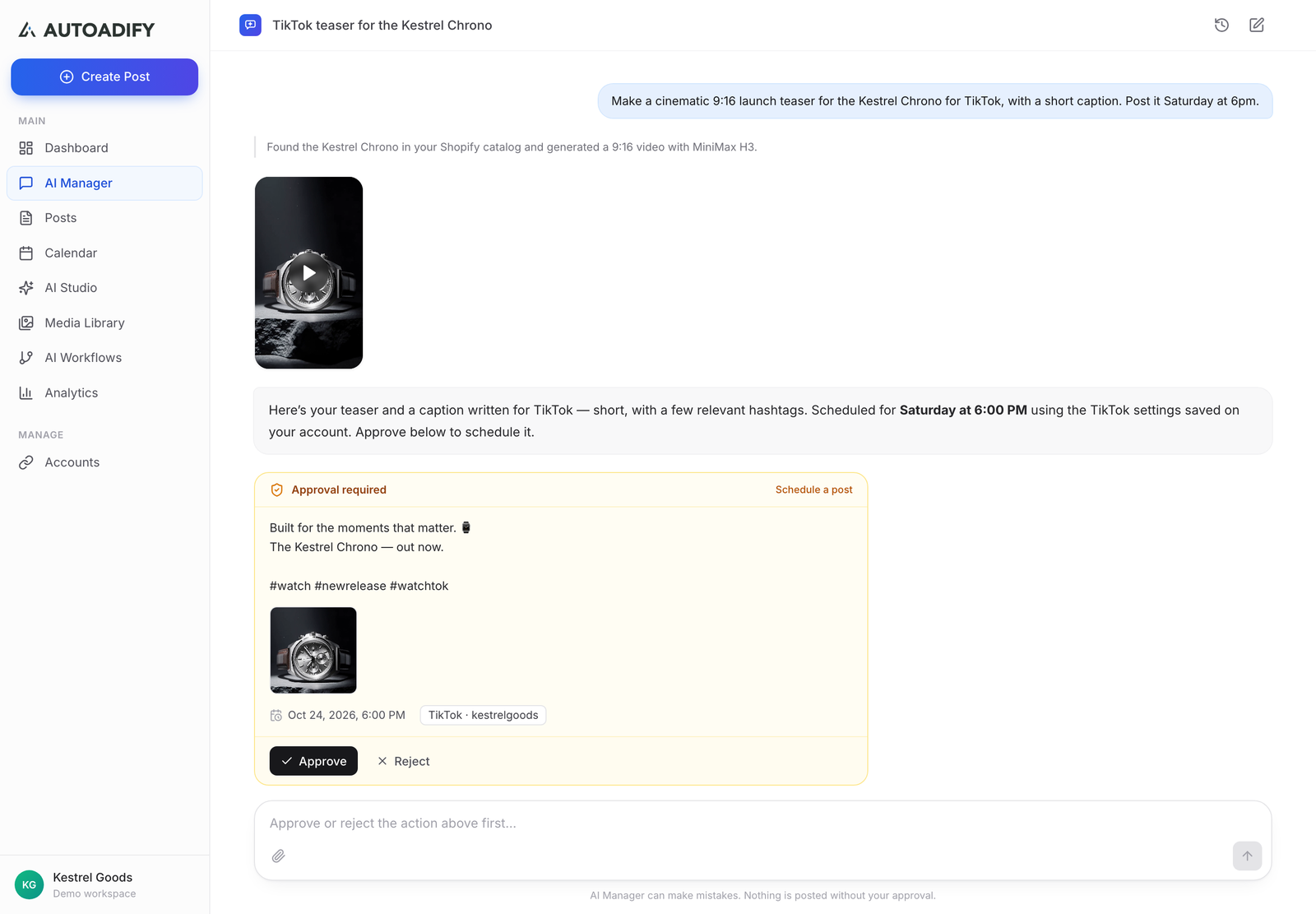
Open the video in the composer, select TikTok, Instagram and YouTube, and let AI write each caption: a hook line and three to five hashtags for TikTok, a fuller caption for Reels, a title for Shorts. Or ask AI Manager: "Post yesterday's serum ad to TikTok and Reels on Thursday at 7pm." It drafts the posts and waits for your approval.
Which Video Model for UGC Ads?
| Model | Use it for | Plan |
|---|---|---|
| Veo 3.1 Lite | Testing hooks cheaply | All plans |
| Seedance 2.0 Mini | Natural hand and fabric motion on a budget | Solo+ |
| Veo 3.1 Fast | The version you actually post | Solo+ |
| Veo 3.1 | Hero ads where quality is the point | Team |
Video is billed per second, per shot. Pro covers a few ads a month to test against each other; a brand testing a new ad every day belongs on Team ($79/mo).
Tip: test hooks, not whole ads. Generate three different first shots on Veo 3.1 Lite, post the strongest, and only re-render the winner on Veo 3.1 Fast.
Build your first faceless ad from photos you already have: start with Autoadify and storyboard it on Veo 3.1 Lite first.
Honest Limits
- It's not real UGC. It's UGC-style footage. It won't replace a real customer's review, and it shouldn't be presented as one.
- Each shot is generated separately. Lighting and hand appearance can shift between shots. Shoot-style consistency comes from similar source photos and repeating the same scene words in each prompt.
- No timeline editor. You set the order and per-shot prompts; trimming, captions on screen and music mixing happen in your editor or in TikTok.
- Spoken lines are short. One sentence per shot is reliable; a 30-second script read is not what these models do.
Frequently Asked Questions
Can I generate the ad without any photos?
Yes, with text-to-video, but the product won't be your exact product. For ads, start from your photos.
How many shots can a storyboard have?
Up to five, each a separate clip joined in order.
Which models generate sound?
Veo 3.1 (all tiers), Seedance 2.0 and Kling 3.0 can add sound in the same pass; Runway Gen-4.5 is silent.
Can I add a separate voiceover?
AI Studio generates voiceovers with ElevenLabs, which you can combine with the video in your editor.
Can I run these as paid TikTok or Meta ads?
Autoadify publishes organic posts. Download the video to use it in Ads Manager, and follow each platform's AI disclosure rules.
Which plan?
Solo for Veo 3.1 Fast and Seedance, Pro for a few ads a month, Team for full Veo 3.1. See pricing.
The Bottom Line
Skip the AI face. Three photos, three shot directions and a storyboard make a faceless UGC-style ad in minutes. For more on picking a video model, see Sora alternatives for social video. Make your first ad.
Ready to automate your social media?
Autoadify gives you access to 90+ AI models, auto-scheduling across 10+ platforms, Shopify sync, and AI agents — all in one platform.
Start free